
Handy, easy-to-use application to browse and optimize your photos
Ashampoo Photo Optimizer 6 is an intuitive, handy photo managing tool that features pretty much all the tools you need for basic image optimization.
Most people don't need a mammoth graphic suite to browse photos and apply some light optimization fixes to them. If you're among them, Ashampoo Photo Optimizer 6 is the perfect tool for you. It includes color and contrast adjustments, a few special filters and a tool to correct the dreaded red-eye effect. Plus it also lets you connect to Facebook and Picasa.
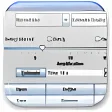
The interface in Ashampoo Photo Optimizer 6 is divided into three panels, which show the folder structure, the contents of the selected folder and the current picture, respectively. This helps you easily check the results of any change you apply to your photos, as Ashampoo Photo Optimizer 6 displays the results in real time.
On the downside, Ashampoo Photo Optimizer 6 still falls short of expectations. Though the variety of tools and image effects has improved since the last version, it lacks basic editing tools such as resizing and cropping, and the choice of photo effects is a bit poor compared to other photo managers. You won't find oil, watercolor, mosaic, sketch, emboss and other effects that are common in similar software.
Ashampoo Photo Optimizer 6 is a suitable photo managing tool with some basic editing and optimizing tools, but probably too basic for more advanced users.
Among the new features are an improved image optimization and a new design with higher contrast and additional customized options


























User reviews about Ashampoo Photo Optimizer
by Anonymous
Very good program.
Good and simple.Un program foarte bun,il folosesc de aproape un an de zile cu rezultate f.bune.Simplu si eficace,se misca repede,si scuteste mult timp,mai ales cind ai multe poze.Il pun pe "optimize all",si isi face treaba.
Pros:
Very good.
Cons:
No. More
by Anonymous
Absolutely Fabulous.
I was not expecting much when I started up Ashampoo Photo Optimizer.But I am now making DVD Slideshows and the photos went from being terrific to Absolutely Fabulous. I highly recommend this software to anyone who takes digistal pics.
Pros:
The photos become very bright. In some cases I find that Optimizing two or three times gives spectacular results.One click optimizing makes it a dream to use. I have already optimized over 500 photos and it was all easy to do.
Cons:
I haven´t come across any Ccns yet. Maybe I will because I am a heavy user of it now. More
by Anonymous
Good Pics made even better.
This is a nice little application for making the best of your digital pics. I love the redeye reduction feature, the best and easiest that I have seen in a simple program. A very good buy.
Pros:
Easy to instal and use.A very good price. More
by Anonymous
Another Winner from Ashampoo.
I am fast becoming an Ashampoo junkie! I have yet to be disappointed by any of their programs. The Photo Optimizer is terrific and I highly recommend it! Pros:
Easy of use; attractive interface
Cons:
Can't think of any More